Lucene Query Formatter
Format Lucene Query object strings
Details
Installs
- Total 214
- Win 91
- Mac 97
- Linux 26
| May 20 | May 19 | May 18 | May 17 | May 16 | May 15 | May 14 | May 13 | May 12 | May 11 | May 10 | May 9 | May 8 | May 7 | May 6 | May 5 | May 4 | May 3 | May 2 | May 1 | Apr 30 | Apr 29 | Apr 28 | Apr 27 | Apr 26 | Apr 25 | Apr 24 | Apr 23 | Apr 22 | Apr 21 | Apr 20 | Apr 19 | Apr 18 | Apr 17 | Apr 16 | Apr 15 | Apr 14 | Apr 13 | Apr 12 | Apr 11 | Apr 10 | Apr 9 | Apr 8 | Apr 7 | Apr 6 | |
|---|---|---|---|---|---|---|---|---|---|---|---|---|---|---|---|---|---|---|---|---|---|---|---|---|---|---|---|---|---|---|---|---|---|---|---|---|---|---|---|---|---|---|---|---|---|
| Windows | 0 | 0 | 0 | 0 | 0 | 0 | 0 | 0 | 0 | 0 | 0 | 0 | 0 | 0 | 0 | 0 | 0 | 0 | 0 | 0 | 0 | 0 | 0 | 0 | 0 | 0 | 0 | 0 | 0 | 0 | 0 | 0 | 0 | 0 | 0 | 0 | 0 | 0 | 0 | 0 | 0 | 0 | 0 | 0 | 0 |
| Mac | 0 | 1 | 0 | 0 | 0 | 0 | 0 | 0 | 0 | 0 | 0 | 0 | 0 | 0 | 0 | 0 | 0 | 0 | 0 | 0 | 0 | 0 | 0 | 0 | 0 | 0 | 0 | 0 | 0 | 0 | 0 | 0 | 0 | 0 | 0 | 0 | 0 | 0 | 0 | 0 | 0 | 0 | 0 | 0 | 0 |
| Linux | 0 | 0 | 0 | 0 | 0 | 0 | 0 | 0 | 0 | 0 | 0 | 0 | 0 | 0 | 0 | 0 | 0 | 0 | 0 | 0 | 0 | 0 | 0 | 0 | 0 | 0 | 0 | 0 | 0 | 0 | 0 | 0 | 0 | 0 | 0 | 0 | 0 | 0 | 0 | 0 | 0 | 0 | 0 | 0 | 0 |
Readme
- Source
- raw.githubusercontent.com
README
NOTE:
THIS EXTENSION IS HELPFUL FOR DEBUGGING LOGICAL ERRORS ONLY.
Features
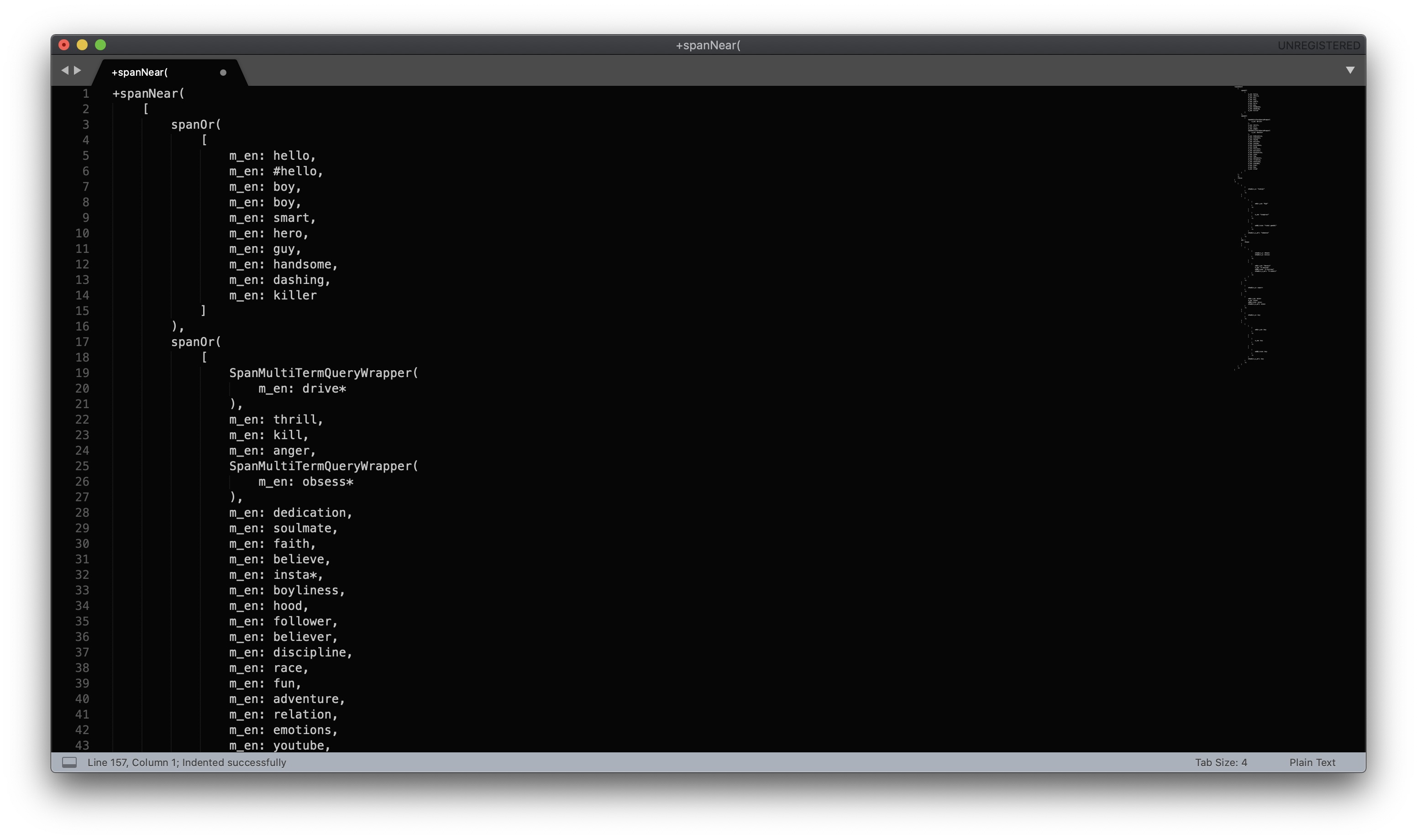
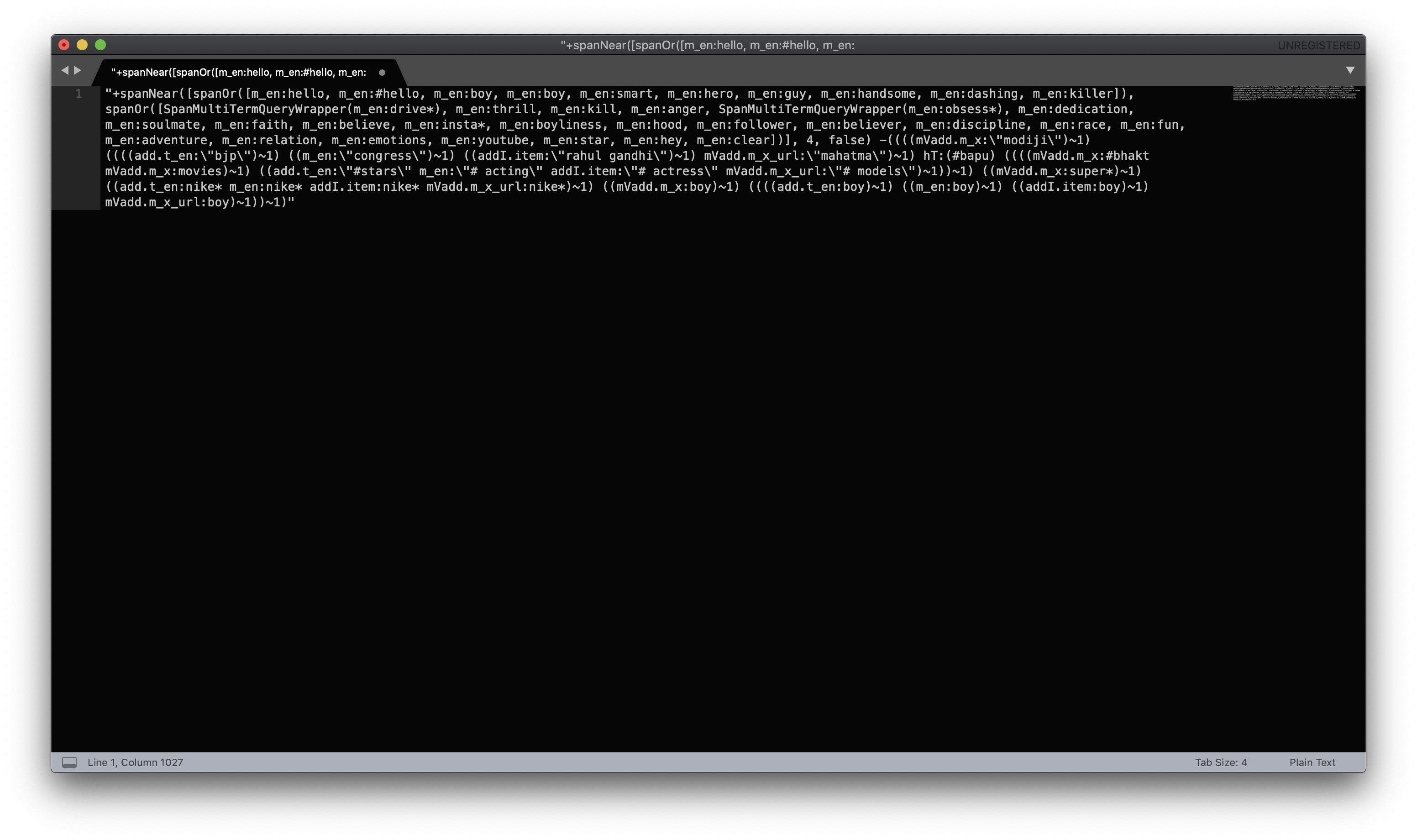
This extension is made for formatting object strings of Lucene Queries. These object strings are one liner which can contain thousands of words in case of complex queries due to which it becomes a cumbersome task to read and debug manually but with this formatter you can prettify your object and get a better readability of queries. This extension can be very handy for engineers working in large organisations with Elastic Search database in JAVA.
How to use
- For Mac: “cmnd+shift+ctrl+i”
- For Non-Mac: “win+shift+ctrl+i” #### OR
- Open Command Palette , choose “Format Query”
Requirements
QUERY MUST NOT CONTAIN ANY VALIDATION ERROR.
Example
- Original Query:
- Indented Query: